
Resolutioner version 2.0, featuring a complete end-to-end rewrite and redesign, is available now on the App Store for iPhone, iPad, Mac, and Apple Vision Pro.
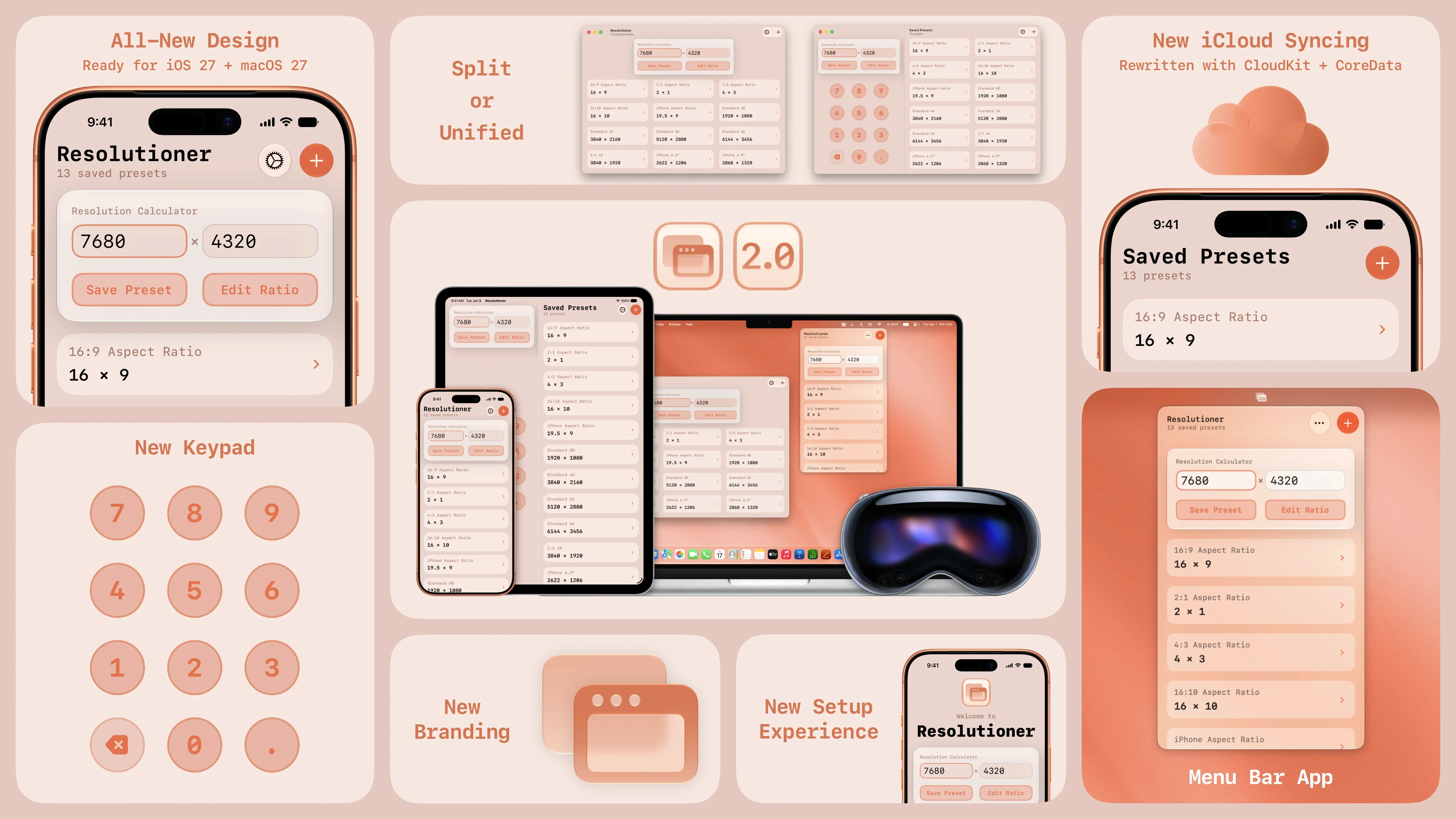
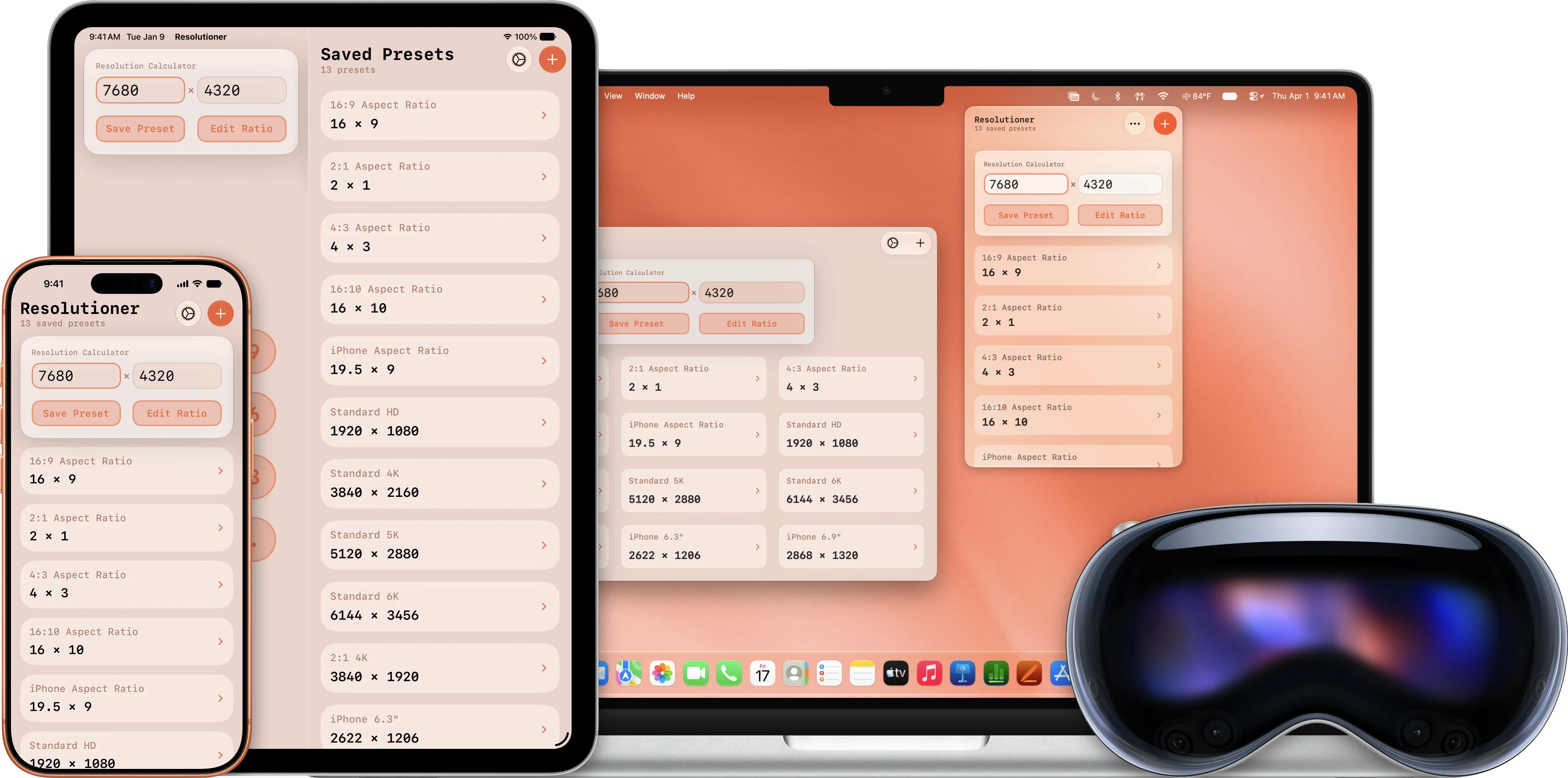
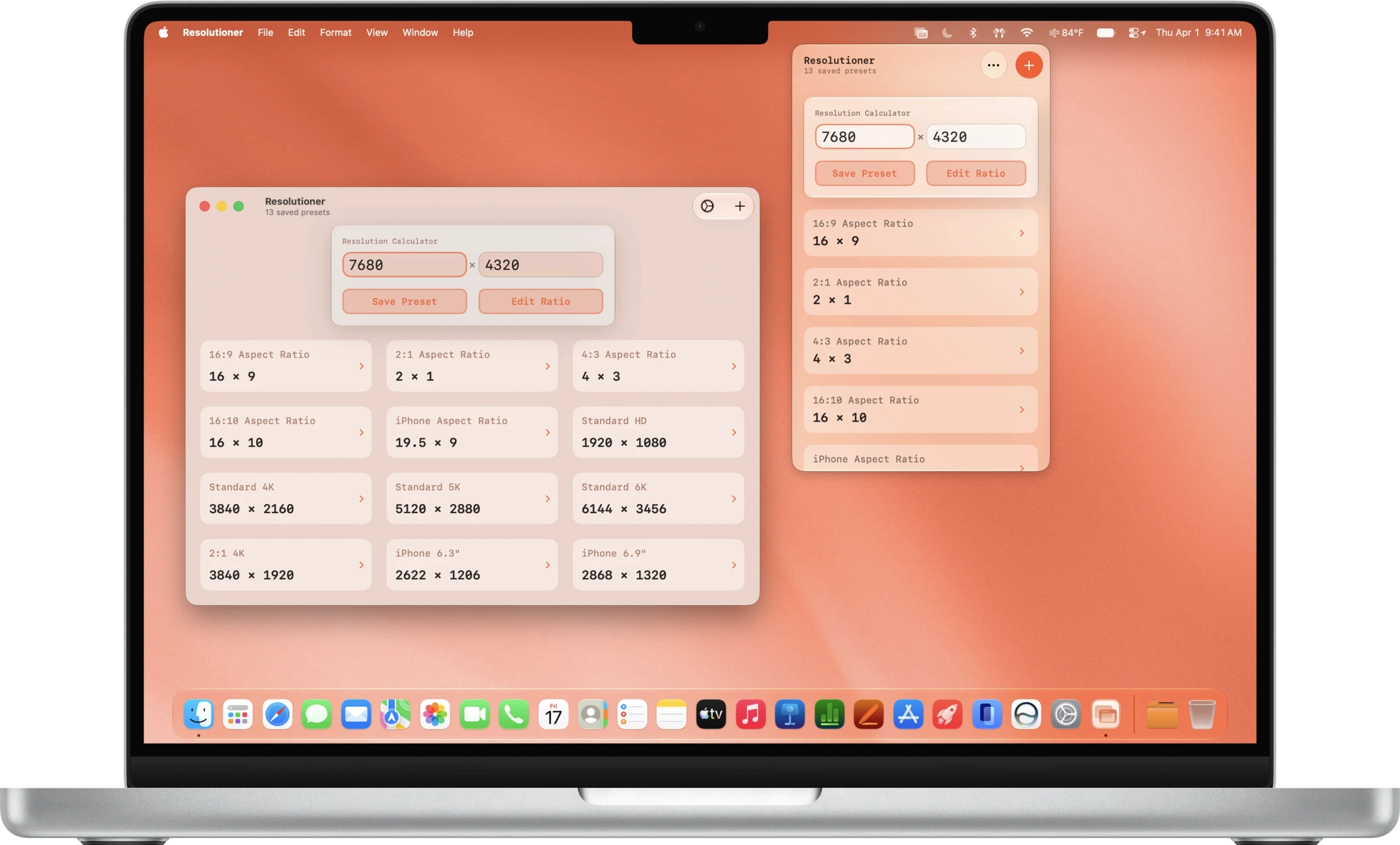
Resolutioner 2.0 was designed with iOS 26, macOS 26, and Liquid Glass in mind. It makes full use of the new materials. The layout has been rethought to better adapt to all different screen sizes, show more of your content, and provide greater customization.
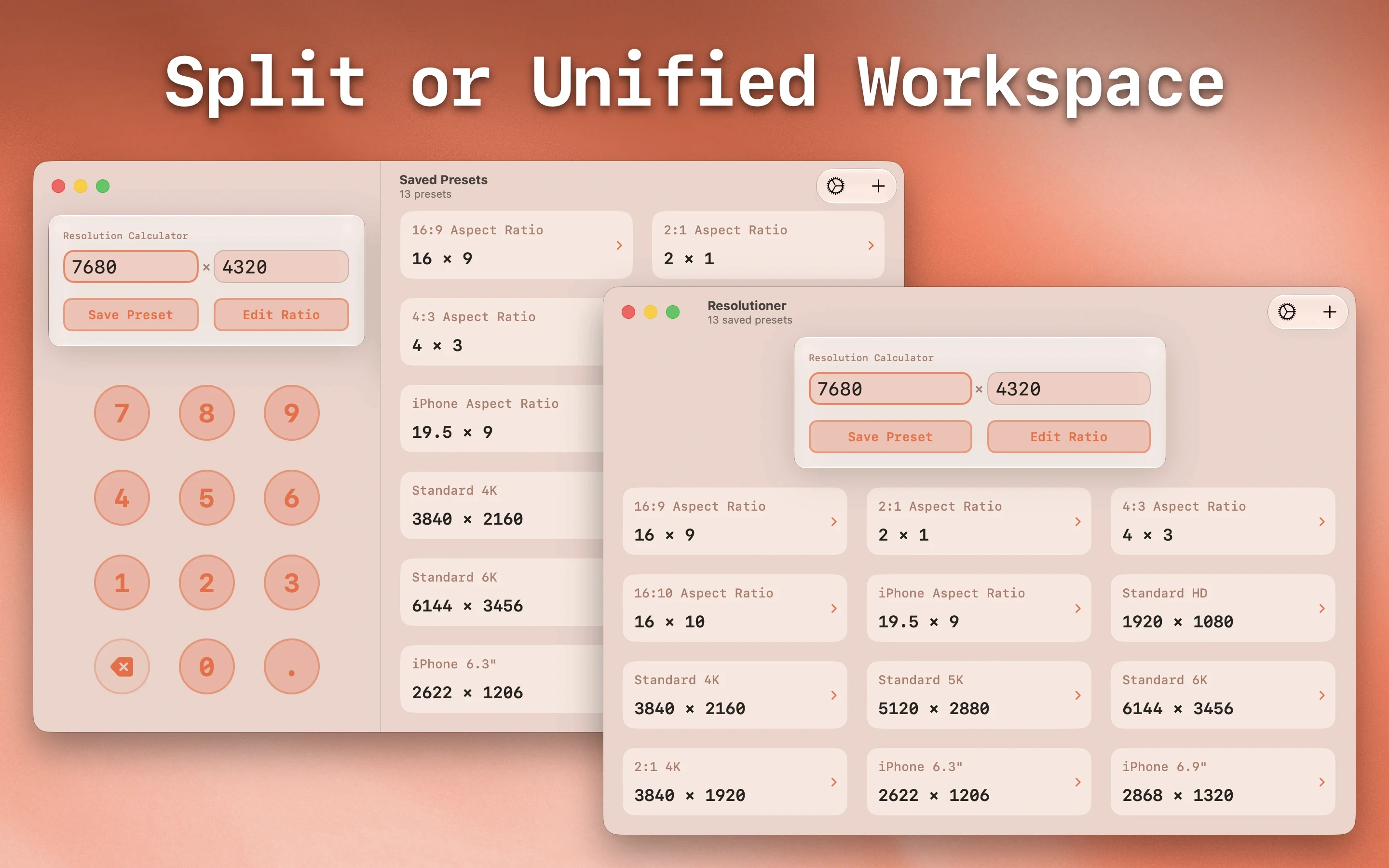
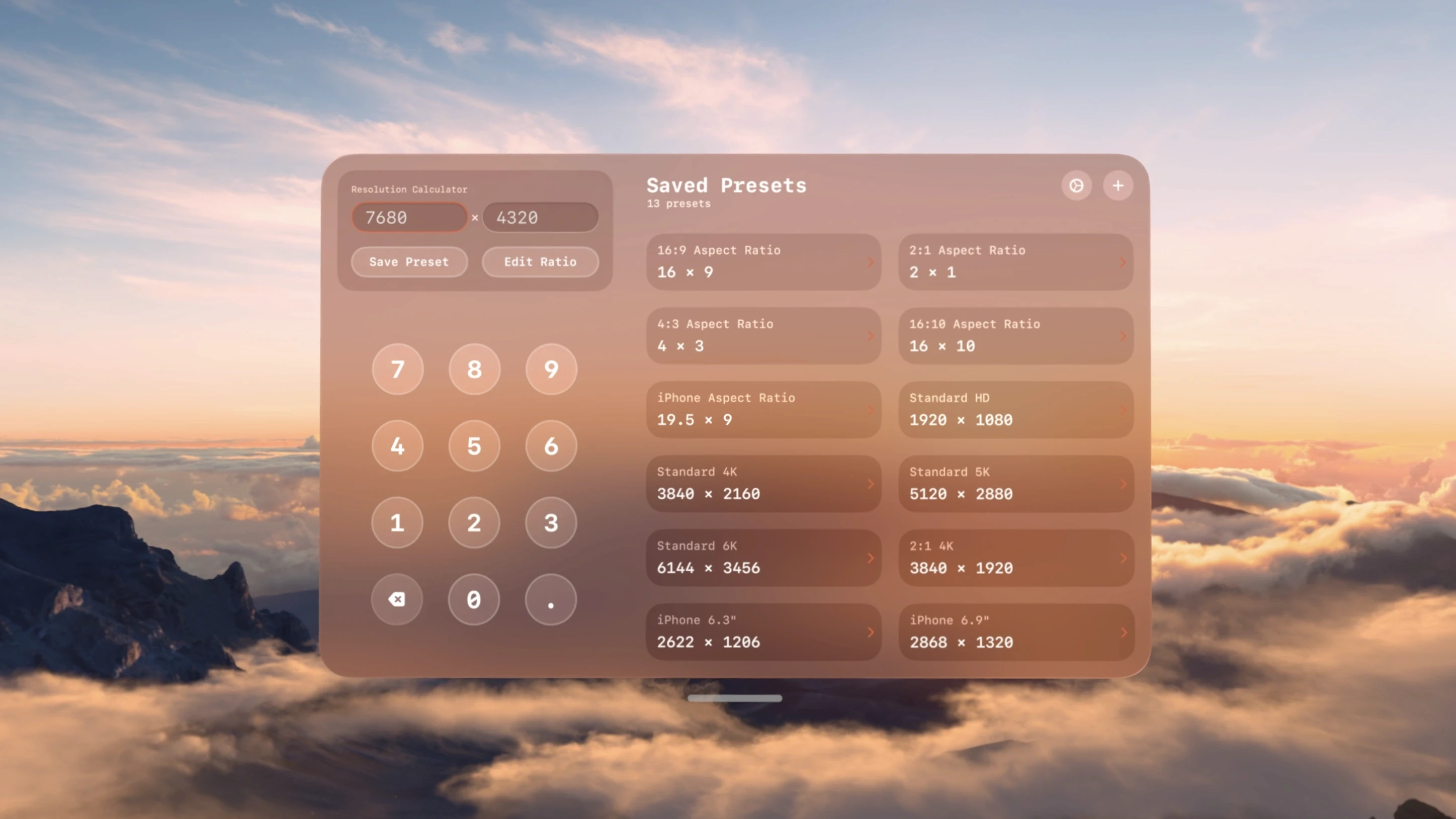
Resolutioner now offers two great interface options: Unified or Split. On iPhone, this means you can choose between viewing everything in one screen or having the Calculator and Saved Presets in separate tabs. On Mac and iPad, Split will place the Calculator next to your Saved Presets.
Resolutioner's branding has also been updated with a new logo, orange theme color, and font:
You can access Resolutioner in two new places as well. On your Mac, Resolutioner can now be added as a Menu Bar app for quick and convenient access at any time. Also, Resolutioner is available as a native Apple Vision Pro app for the first time.
The full list of changes can be found below. We will also be launching a redesigned website for Resolutioner in the coming weeks.
Resolutioner version 2.0 is available now on the App Store for $0.99 USD for new users, and as a free update for all existing users.
All changes:
Completely Rewritten and Redesigned: Resolutioner has been completely rewritten from the ground up! Everything is now more stable and reliable. The app has also been completely redesigned for iOS 26 / macOS 26!
New Branding: Resolutioner now has a more cohesive logo and branding, including a new app icon and new orange theme
New Unified Interface: View both the Calculator and Saved Presets in one screen, including a new keypad overlay (iPhone, iPad, and Mac only)
New Split Interface: View the Calculator and Saved Presets side-by-side, with a persistent on-screen keypad and more room for your presets (iPad, Mac, and Apple Vision Pro only)
New Tabs Interface: For iPhone, the Calculator and Saved Presets can be split into separate tabs for easy and clear access to both
Menu Bar App: On Mac, you can now access Resolutioner as a Menu Bar app for quick and convenient reference and calculations!
New Keypad: For touchscreen devices, the new custom keypad provides a much better experience than using the software keyboard. Of course, you can still use hardware keyboards!
New Setup Experience: The setup experience has been completely redesigned to offer more options during setup!
Rewritten Saved Presets Backend: Saved Presets now uses CoreData and CloudKit (iCloud) to save and sync data for a far better, faster, and more reliable experience!
Apple Vision Pro Support: Resolutioner now has full support for Apple Vision Pro!
Resolution Calculator will now display decimals when appropriate (no more forced rounding)
You can no longer type letters and other characters into the number text fields
Sun Apps, LLC
Copyright © 2026 Dylan McDonald