
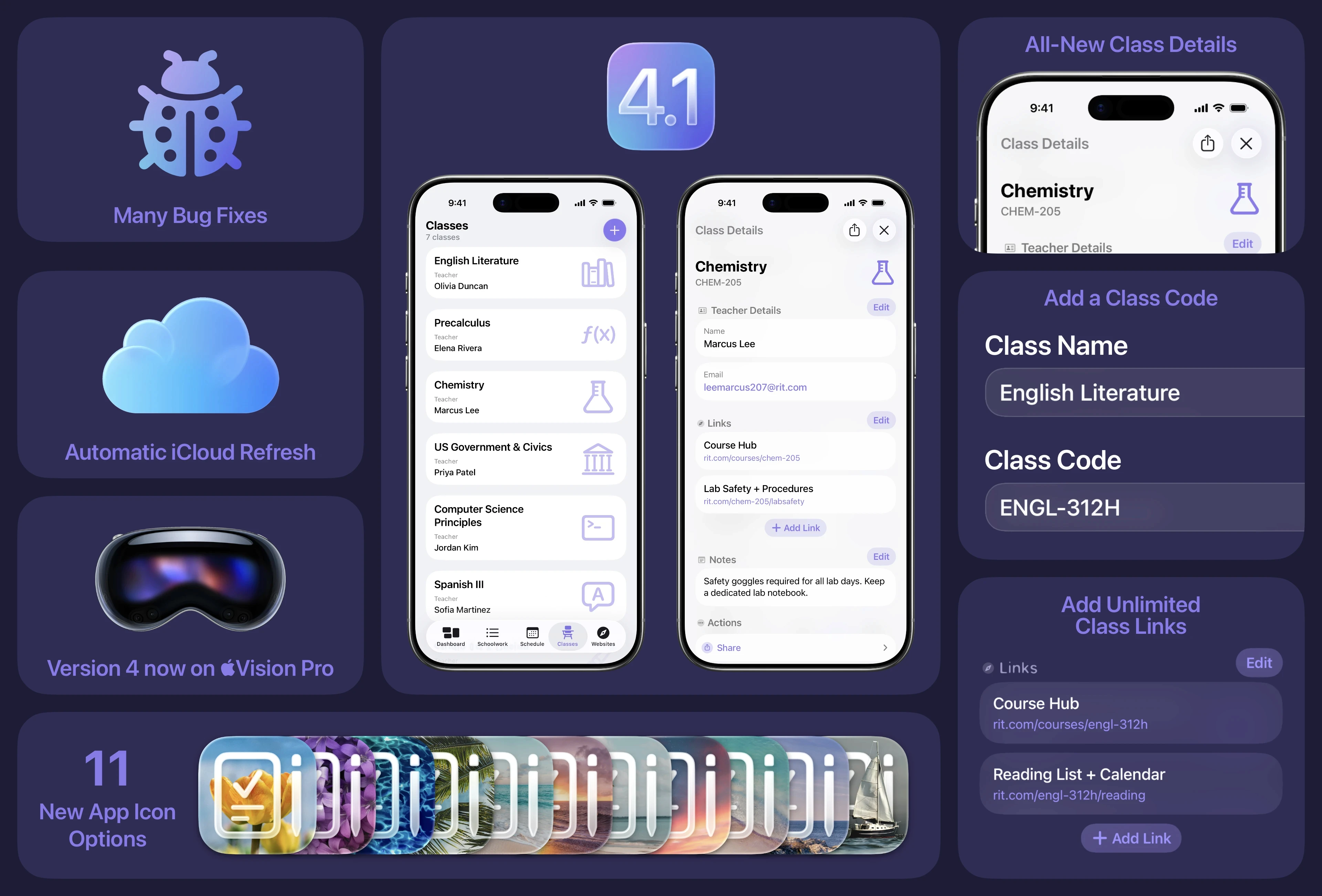
Today, Sun Apps has released School Assistant 4.1, the first major update as part of the overall Version 4 plan. The major feature in version 4.1 is an updated Classes feature, which brings it more in line with Schoolwork and Schedule. Namely, the Class Details screen has been redesigned to match Schoolwork. You can also now add a class code (perfect for college / university classes), as well as unlimited class links! The New Class view has also been redesigned to match Schoolwork and allow you to add all class details at once.
There are also many other new features and bug fixes. You can read the full release notes at the end of this article. We are also launching refreshed marketing with this update, including new App Store screenshots and an updated website (coming soon).
Starting with version 4.1, the Google Assistant feature is now disabled by default. If you wish to use it, it can be enabled in Settings. If you are already signed in when updating, it will automatically be enabled for you. The Google Classroom will not be receiving any future updates, and may be removed at any time in the future. Because of this, the feature has been removed from all marketing materials for the app. If you have any questions, please reach out to Sun Apps Support.
Version 4.1 is available now on the App Store for iPhone, iPad, Mac, and Apple Vision Pro.
New Features
Version 4 is now available on Apple Vision Pro!
Three new Seasonal app icons
Eight new Seaside app icons
New alternate app icons interface
Added new Liquid Glass versions of the 365 and Skeuomorphic app icons
Redesigned Tip Jar interface
Added Liquid Glass to the banner view
Added pull to refresh to Schedule and Classes
Added cell swipe actions to Schedule and Classes, like in Schoolwork
School Assistant will now automatically refresh data when you make changes on another device (requires iCloud)
Redesigned Google Classroom account interface (please see note at end of release notes!)
Added a sound effect when creating a new Schoolwork, Schedule entry, or Class
The Apple Watch app now supports custom theme colors from your iPhone
Updated screenshots and marketing
Bug Fixes
Improved Website view on the latest OS versions
Fixed issues with colors on Mac
Fixed an issue where “no content” views might briefly flash in Schoolwork, Schedule, etc.
Fixed an issue where “no content” views were not aligned / placed correctly
Fixed the misaligned view title in Resources
Fixed appearance of Simple app icon when using Clear or Tinted mode
Fixed issue with duplicate Day Settings button in Schedule
Fixed an issue where you couldn’t select an assignment in Google Classroom
Fixed spacing and layout issues in Schoolwork editor views when landscape on iPhone
Fixed height of Manage Links view
Fixed tint colors on a few buttons
Fixed buttons in empty state views (like when you have no Schoolwork)
Updated “Deleted” banner and sound effect to be consistent across Schoolwork, Schedule, and Classes
Fixed some visual bugs for those running outdated operating systems
Fixed sidebar appearance on iOS 26.1
Fixed a crash with the Google Classroom error view
Fixed an issue where the cells in the Settings sidebar might not be rounded
Fixed some edge cases with Widget theme color issues
Sun Apps, LLC
Copyright © 2026 Dylan McDonald