
Today, Sun Apps has released the next major version of the Version 4 plan for School Assistant, version 4.2!
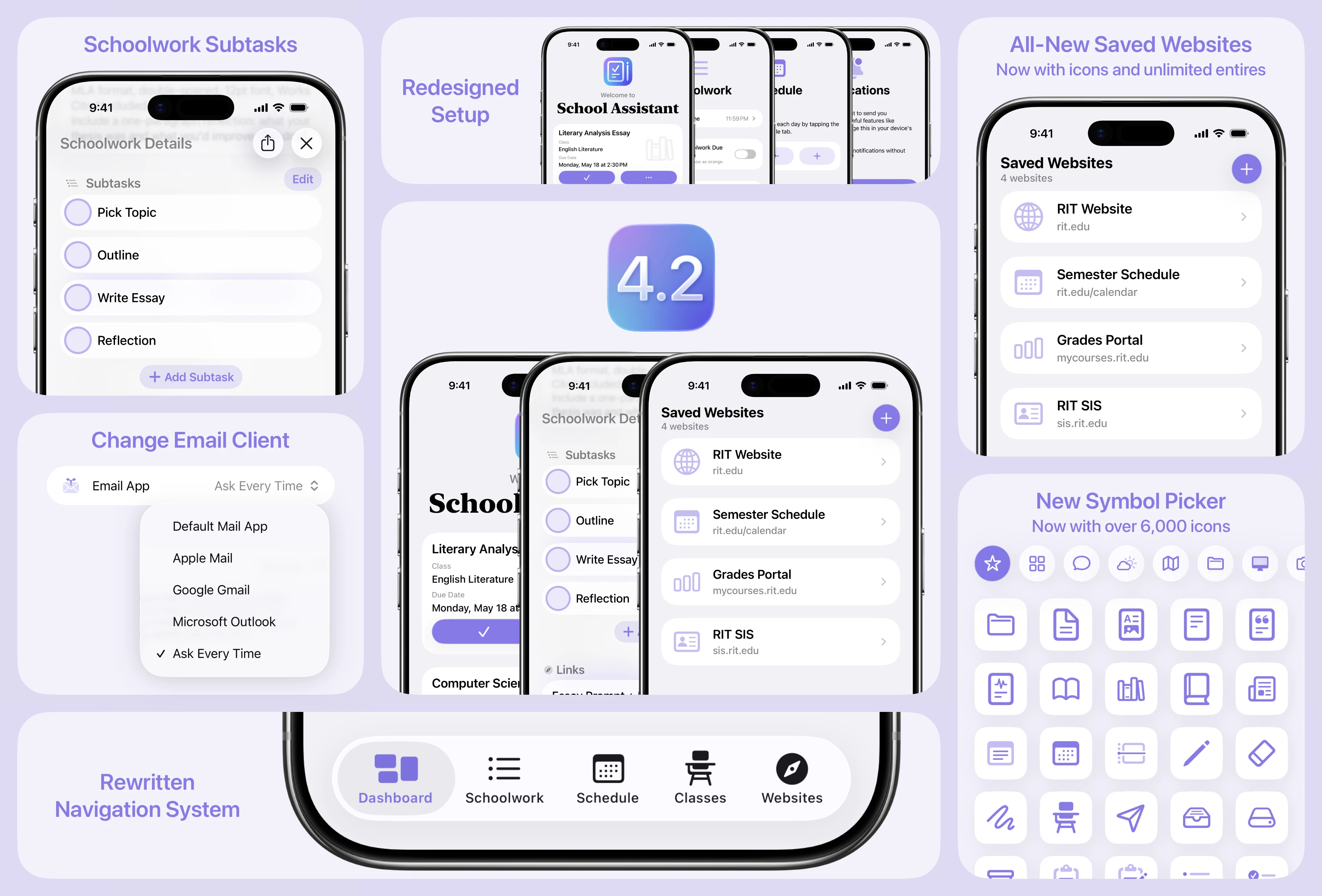
The main new features in Version 4.2 are an all-new Saved Websites experience, the addition of Subtasks to Schoolwork, and a completely redesigned and rewritten setup experience! There are also other smaller new features as well as many bug fixes. You can read the full release notes below.
Saved Websites
The Saved Websites feature has been completely redesigned and the backend has been rewritten. Now, you can add an unlimited number of websites, and you can add an icon for each site. iCloud sync has also been improved, and some fixes and improvements have made to the website view.
Schoolwork Subtasks
Adding Subtasks to Schoolwork has been a top user request for a while, so we are thrilled to finally add this feature! For any Schoolwork, you can now add any number of Subtasks. These are simple, just a title and a checkbox. If you have ideas for expanding this feature, please don't hesitate to let us know!
All-New Setup Experience
For new users, the setup experience has been completely rethought, redesigned, and rewritten. It is now simpler and easier to use, while also having a much nicer design and offering more logical setup options for new users. If you'd like to check it out as an existing user, you can head to Settings → Reset Options → Show Setup. This will not erase or reset any data.
New Icon Selector
The icon selector for Classes and now Saved Websites has been updated to feature all of Apple's 6,900+ SF Symbols! There are also now categories to choose from, and a new search bar.
Other Quality of Live Improvements
Version 4.2 also brings some great quality of life improvements! Now you can select which mail app you use for sending an email from Classes. This is great if you have to use Gmail or Outlook for school. Also, the navigation system (tab bar and sidebars) has been rewritten to be much more stable and reliable. This is particularly improved on iPad when switching between large and small window sizes. Finally, many old and outdated Settings views have been rewritten and redesigned.
Version 4.1 is available now on the App Store for iPhone, iPad, Mac, and Apple Vision Pro. Please note that for Apple Vision Pro users, visionOS 2.0 is now the minimum visionOS version as support for visionOS 1 has been discontinued.
New Features
All-new Saved Websites experience
Add unlimited websites
Now you can choose an icon for each website
Improved iCloud sync
New interface
You can now add Subtasks to a Schoolwork entry
All-new, rewritten, and redesigned setup flow
Rewrote the tab bar / sidebar: the entire navigation system of the app has been completely rewritten from the ground up. This should lead to a more reliable and consistent experience!
New icon selector for Classes and Saved Websites featuring ALL of Apple’s SF Symbols, the ability to search, and icon categories!
Added the ability to choose which app to use when sending an email from Classes or Settings, so you are no longer forced to use Apple Mail
You can also choose a default setting for Classes to avoid being asked every time, if you’d like
Rewrote all remaining legacy Settings views
Rewrote numerous other legacy views
Mac: the underlying system for Mac Accent Color has been rewritten to automatically support any new devices/colors, such as the new MacBook Neo
Improved the website view in Saved Websites
Redesigned the Google Classroom classwork details screen to match that of Schoolwork
Bug Fixes
Fixed a potential crash when leaving the app after using Saved Websites
Fixed grid view spacing on iOS 15 / 16 and macOS Monterey / Ventura
Fixed an issue where scrolling may not work intermittently on Mac
Fixed an issue where Class Details would use incorrect colors when opened as a separate window on iPad
Fixed a bug where if you selected Completed Schoolwork before regular Schoolwork, switching to regular would not show the due date headers
Fixed a bug where rotating into landscape on a Plus / Max iPhone while on the Dashboard screen would cause a crash
Fixed the ⌘ , shortcut for opening Settings
Fixed some design and navigation issues on older macOS versions, especially macOS Monterey
A few fixes and improvements to the visionOS interface
Many other general improvements and fixes
Sun Apps, LLC
Copyright © 2026 Dylan McDonald